Beta starts May 30, 2026 · v0.1.3

Point, talk, apply — voice-driven UI edits for any AI editor.

FluidEdits is a Chrome extension that turns point-and-voice gestures into structured prompts for AI code editors like Cursor, VS Code, and Lovable. Point at any UI element on your preview. Speak your instruction. FluidEdits builds a structured prompt copied to your clipboard — paste into Cursor, VS Code, Lovable, or any editor session.

Alt + Shift + E draw a zone
localhost:3000/dashboard
The workflow

Three moves. Zero friction.

From capture to pasted prompt in seconds — stay in flow while you iterate.

Step 01
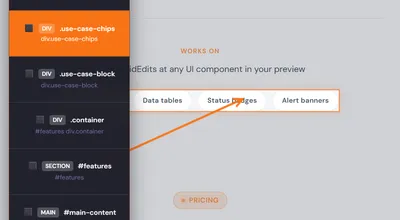
Screenshot: element inspector selecting a row of UI badges (Data tables, Status badges, Alert banners) in the preview.

Point at an element

Press Alt+Shift+E and point at the UI element — a button, a banner, a table row. FluidEdits identifies the target and captures context automatically.

Step 02
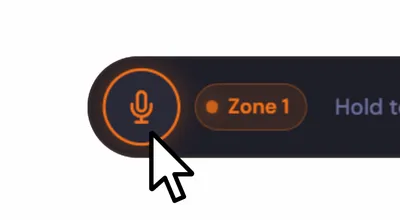
Screenshot: FluidEdits floating toolbar with the microphone control, Zone 1 badge, and hold-to-speak hint.

Speak your edit

Tap the mic and say what you want: "Convert the first column to uppercase" or "Sort by quantity descending."

Step 03
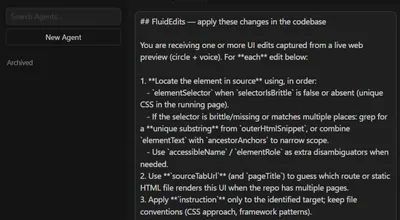
Screenshot: AI agent chat in the editor with FluidEdits instructions pasted and ready to apply.

Copy & paste into your editor

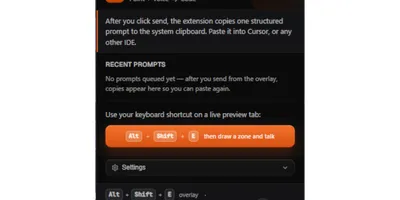
FluidEdits puts the instruction on your clipboard — paste into Cursor, VS Code, Lovable, or any tool that accepts text. Your change lands where you want it.

Why FluidEdits

Built for designers and developers
who edit without switching windows

Perfect prompts, copied for you

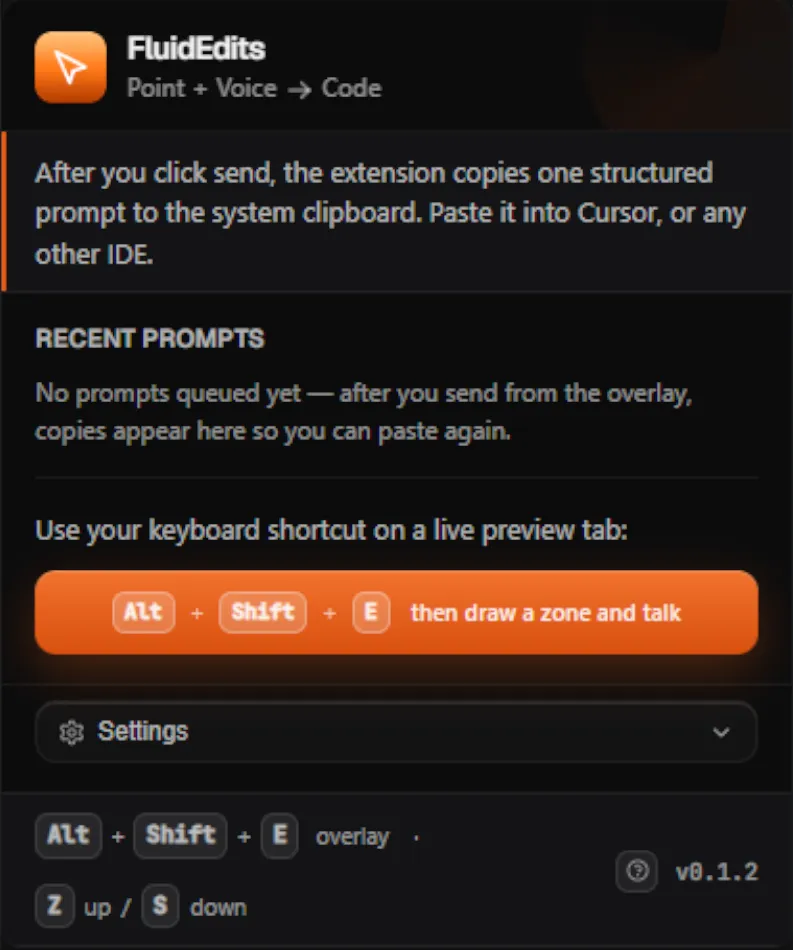
The extension turns each capture into a single, structured instruction — target, spoken intent, and enough context to act — and puts it on your clipboard. Paste into Cursor, VS Code, Lovable, or any chat or editor pane that accepts text — one portable format, no vendor lock-in.

Copy to clipboard — paste anywhere
1targetDescription
2instruction
3Page/route hints
4Locator bundle

Voice-first commands

Describe intent in plain language. No special syntax, no commands to memorize. Just say what the content should become.

Multi-target edits

Make multiple edits in one session. Send them all at once — your editor receives the full multi-region context as a single coherent instruction.

Pending queue

Edits queue up when your editor is busy. The extension badge shows pending count — nothing is lost, nothing fires out of order.

Screenshot: FluidEdits queue with multiple pending edits and a count badge.

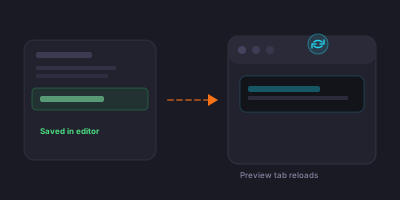
Preview auto-refresh

When your editor saves the change, FluidEdits can reload the preview tab you were pointing at — so the page catches up without an extra click. Same URL, fresh DOM, right after the patch lands.

Diagram: edit saved in the editor flows to a browser preview that reloads automatically.

Works on

Point FluidEdits at any UI component in your preview

Hero banners Data tables Status badges Alert banners
Universal compatibility

Your editor,
your choice

FluidEdits places every structured prompt on your clipboard. Cursor, VS Code, Lovable, or any other editor that accepts a paste — works.

Supported browsers

Chrome
Edge
Firefox
Brave
Opera

Clipboard compatible

Cursor
VS Code
Lovable
+ any other
Portrait of the FluidEdits founder.
Behind the product

Meet the person behind FluidEdits

I'm the founder. I also run YourLittleFactory, where we turn ideas into real objects through on-demand 3D printing and laser engraving — that maker's reflex shapes how I build software, too.

I'm a problem-solver and a maker first — FluidEdits exists because I want tools that respect how builders actually work.

  • Product
  • Engineering
  • AI & automation
  • Maker
Help

FluidEdits — FAQ

Answers about the extension, Lemon Squeezy licensing, privacy, and troubleshooting — in plain language.

Getting started

What is FluidEdits?

FluidEdits is a browser extension (Chrome / Chromium / Firefox) that helps you turn on-page UI feedback into clear instructions for your coding agent. You point at (or circle) part of a page, speak what you want changed, and FluidEdits turns that into structured edit requests your workflow (for example Cursor or any AI-assisted editor) can consume.

Who is FluidEdits for?

Developers and designers iterating on web UIs who already use an AI IDE or agent.

Teams building internal tools or customer-facing sites where "change this button / this banner / this copy" is faster said than typed.

How does it work (high level)?
  1. Open the page you're working on (local dev server, staging, or any URL you're allowed to use).
  2. Use FluidEdits to select the UI area and record a short voice note describing the change.
  3. FluidEdits uses AI to produce a concrete instruction tied to that UI.
  4. FluidEdits copies the result to your clipboard so you can paste it into your editor or agent.
What do I need to install or run?
  • A supported browser — Google Chrome; other Chromium-based browsers including Microsoft Edge, Opera, Brave; and Mozilla Firefox.
  • The FluidEdits extension — Chrome Web Store when available, or an unpacked build for internal / beta testing.
  • A valid license (see Licensing below) once you're off the 7-day free trial.
Is there a cost?

FluidEdits is sold through Lemon Squeezy. Every new user gets a 7-day free trial; after that you continue on one of three license plans launching with the May 30, 2026 beta.

Clipboard & editors

How do instructions get into my project?

FluidEdits copies a structured text prompt to your system clipboard. Open your AI chat, terminal, or IDE, then paste (for example Ctrl+V / Cmd+V). The extension does not edit your repository by itself — you (or your agent, after you paste) apply the change.

Does FluidEdits only work with Cursor?

No — anything that accepts pasted text is fair game: Cursor, VS Code, Lovable, cloud IDEs, or a simple text file. Paste where your workflow lives.

Browser & extension

Which browsers are supported?

The extension targets the Chromium extension platform (Manifest V3): Google Chrome, Microsoft Edge, Opera, Brave, and other Chromium-based browsers.

Mozilla Firefox is supported via a compatible WebExtensions build.

Safari does not support Chrome-extension packages; use a Chromium- or Firefox-based browser for FluidEdits.

Why isn't the extension on the Chrome Web Store yet?

We're still in beta — you can install an unpacked build for testing or follow updates on the site. Once the listing is approved, this will point at the live store page.

How do I install an unpacked build (beta / internal)?
  1. Open Chrome → Extensions.
  2. Turn on Developer mode.
  3. Click Load unpacked and select your FluidEdits build folder.

For detailed steps, see project docs on GitLab.

Permissions — why broad host access?

To let you mark up your own dev and staging pages, the extension needs permission to run on the URLs you use. We aim for the minimum access necessary for that workflow.

More detail lives in our Privacy Policy.

Account & support

How do I update or cancel?

Purchases and subscriptions are managed in Lemon Squeezy — use the customer portal or links from your order email.

How do I contact support?

Email contact@fluidedits.com

We aim to reply within 2 business days (often sooner).

Licensing & activation

Where do I get my license key?

After purchase, Lemon Squeezy sends a receipt email with access to your license. You can also find the license in your Lemon Squeezy customer portal.

Where do I enter the license key?

Open the FluidEdits extension popup → License keyActivate.

My activation failed. What should I check?
  • Internet connection and that our backend is reachable.
  • Correct license key (copy/paste carefully — no extra spaces).
  • If you recently changed devices or hit activation limits, use Lemon's license management to deactivate old devices.
Can I use FluidEdits on more than one machine?

That depends on your Lemon Squeezy license (activation limits). Check your order or the merchant policy on your receipt.

Troubleshooting

Voice or capture doesn't work
  • Check microphone permission in Chrome for the extension / site.
  • Use a normal tab — chrome:// pages won't work.
AI returns nonsense or the wrong element
  • Re-capture with a tighter selection.
  • Speak concretely: "Change the headline to X", "Make the button primary blue".
  • If extension UI appears in the screenshot, recapture without overlay chrome in the frame.
I changed backend URL / rebuilt — reinstall?

If you ship a new build with a different embedded backend URL, users typically need the new package — reinstall or update to the matching build.

Privacy & security

What data is sent when I use FluidEdits?

To interpret your intent, FluidEdits may send cropped screenshots, audio of your voice note, and technical context about the selected element to our secure server, which forwards allowed requests to the AI provider. We do not put merchant AI keys inside the extension.

Do you train on my data?

See our Privacy Policy and Terms of Service for the current policy on retention and use of captures and prompts.

If we use Google Gemini, their terms apply to the provider side — see Google AI / Gemini terms.

Is my source code uploaded?

FluidEdits focuses on what you see in the browser and the instructions sent to your agent. It does not automatically upload your full repository.

POINT · TALK · APPLY Start for free Start editing the way you think

Reserve your beta seat
1 Install extension
2 7-day free trial
3 Pick a plan